Why digital menus are becoming the norm in Qatar
Qatar’s restaurant scene moves fast. New concepts appear regularly in Lusail, Msheireb, The Pearl, and West Bay. Guests compare experiences quickly, and a slow, worn paper menu feels out of place next to a sharp digital one.
Printed menus also suffer in this climate. Heavy air conditioning, frequent cleaning, sanitizer, and constant handling leave menus looking faded, scratched, or even sticky. You can invest in lamination, but eventually they still need reprints.
Costs are another pressure. Every seasonal dish, price change, or design refresh means another round of printing. A digital menu removes most of that expense. You pay for the menu platform, then you update as often as you like with no new paper.
Tourists and expats arrive with clear expectations as well. Many already use QR menus in Dubai, Riyadh, London, and other cities. When they land in Doha, they expect a similar level of convenience and speed.
How QR code menus improve guest experience
Think about the first half minute after guests sit down. With only paper menus, you need a server to notice them, walk over, and hand menus to each person. If the floor is busy, that first contact can take time.
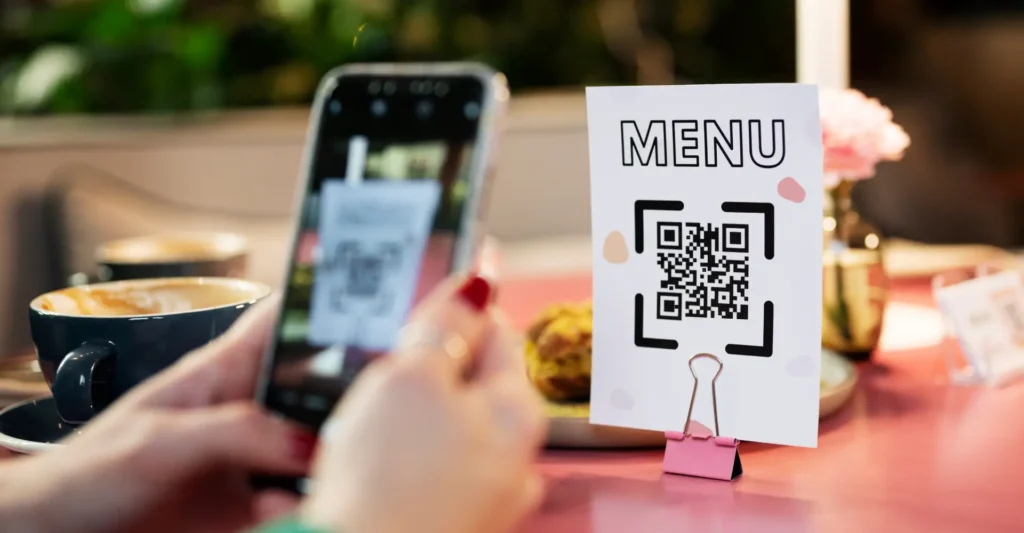
With QR codes on the table, guests can scan and start browsing immediately. That shortens the quiet, awkward moment at the beginning of the visit. While they scroll, your staff can prepare water, bread, or welcome bites. By the time a server arrives, guests are already thinking about what to order.
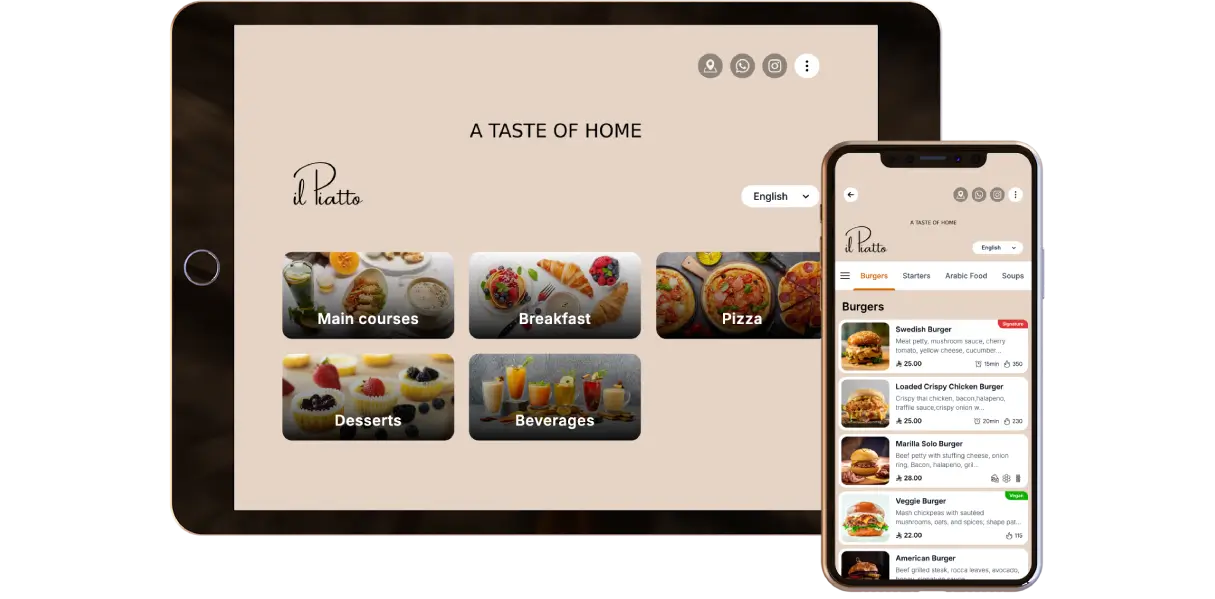
A digital menu lets you share more information without crowding the page. Guests can tap to see allergen tags, spice levels, meat origin, or chef notes. People who care will look deeper. Others can simply view names and prices.
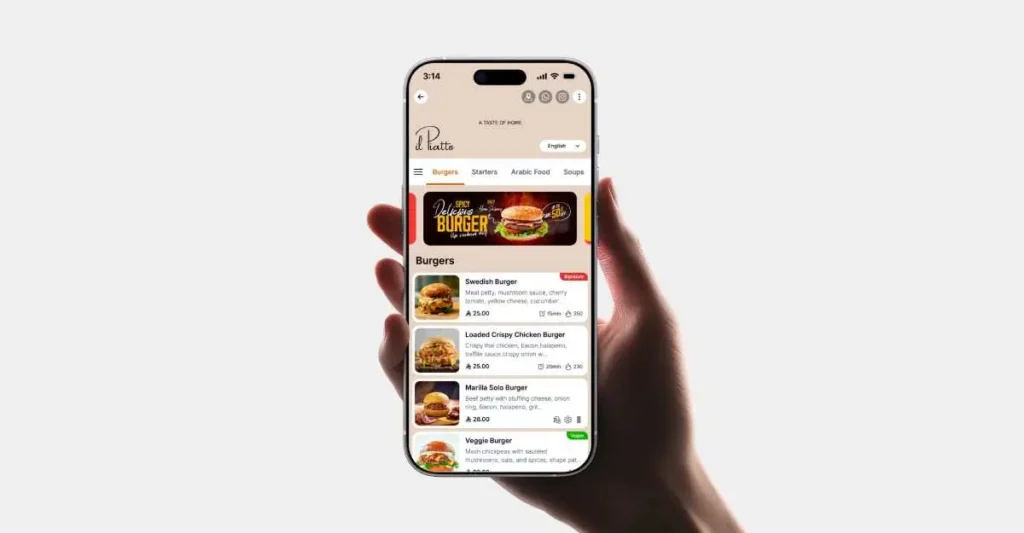
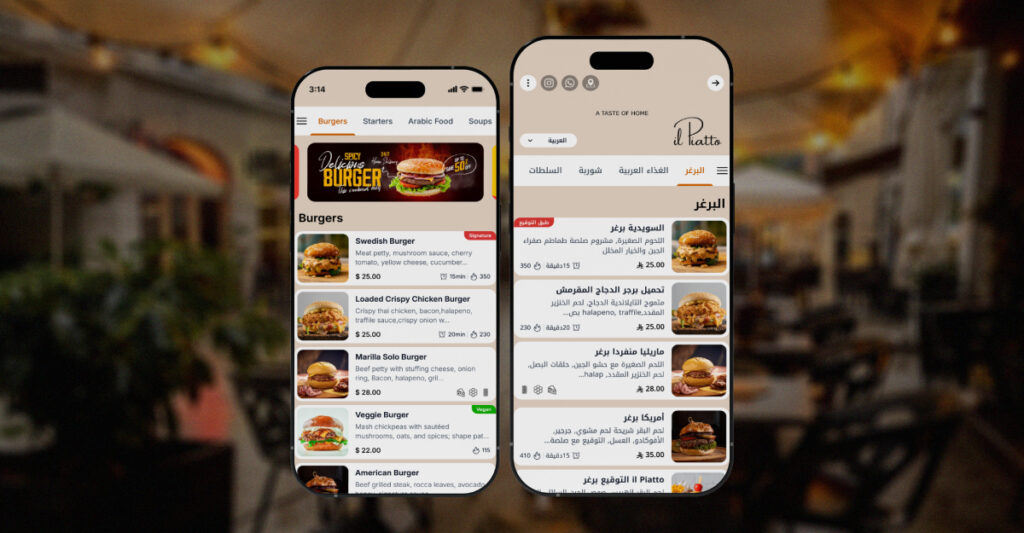
In Qatar, photos matter a lot. People enjoy sharing food content and often order visually. A QR menu lets you showcase your best sellers, signature desserts, or sharing platters with strong images. This often raises average spend without any extra pressure from staff.
Benefits for your team and daily operations
A well designed digital menu in Qatar benefits your staff as much as your guests. Instead of sending WhatsApp messages or printing temporary inserts every time you change a dish, managers can update the menu system once and trust that every table is correct.
When a dish is sold out, your team can mark it unavailable in a few clicks. There is no need to cross it out on dozens of menus or repeat the same apology all night. That reduces friction for both guests and staff.
Training becomes smoother. New joiners do not have to memorise the entire menu on day one. They can study the live digital menu, read descriptions, and learn the structure at their own pace. During service, they can quickly look up details when needed.
You can also design the menu to support upselling. For example, grouping add ons under burgers, highlighting recommended sides, or suggesting desserts after mains. A clear layout makes these links obvious to both guests and servers.
Designing a QR menu that matches your brand
Going digital does not mean giving up on design. In many ways you gain more control. Your colors, fonts, and tone can match your interiors and your existing print materials. The aim is for the digital menu to feel like part of your concept, not a generic website.
Start with a simple structure. Use clear categories such as breakfast, salads, grills, burgers, pasta, desserts, mocktails, and shisha where relevant. Many Qatar diners come in groups or families, so a clean structure makes it easier for everyone to browse on separate phones and decide together.
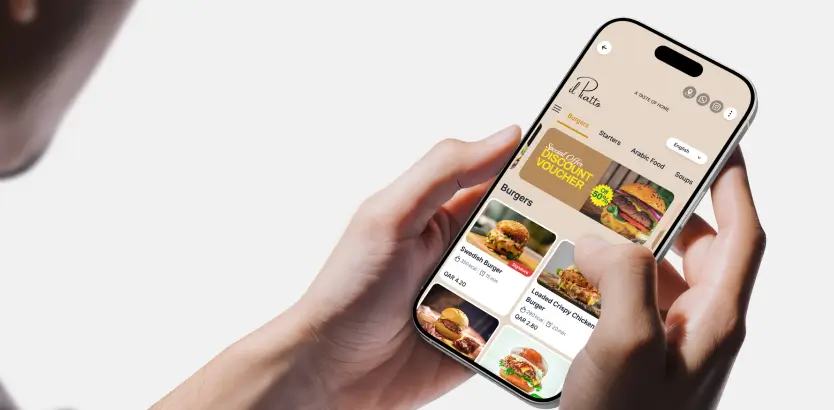
Next, think about hierarchy. Which dishes are you most proud of. Place those at the top of their category, give them stronger descriptions, or highlight them with a small “chef’s pick” label. You do not want every dish to compete for attention. Focus on your stars.
Keep text short and clear. Long paragraphs are hard to read on small screens. Use simple language and add a few local touches where it feels natural, such as mentioning karak, regag, or machboos when you want to emphasize Qatari flavor.
Handling Arabic, English, and mixed groups
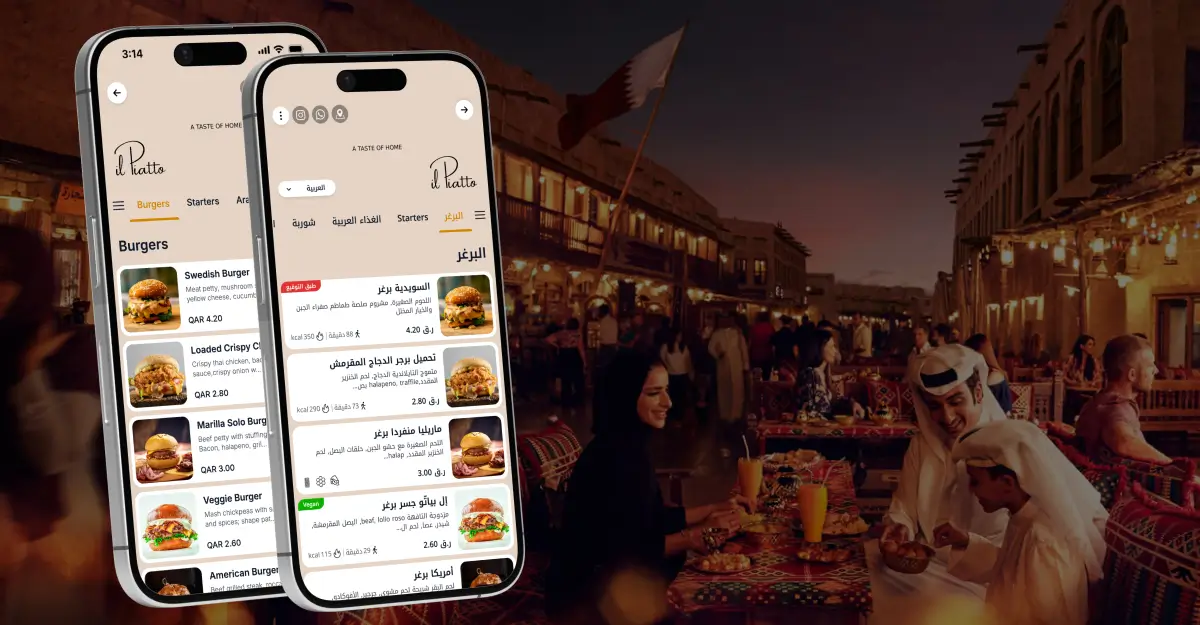
Most restaurants in Qatar host a multilingual mix. Some guests prefer Arabic, others are more comfortable in English, and tourists arrive with many different backgrounds. A good QR menu should handle this reality without forcing you to print separate language versions.
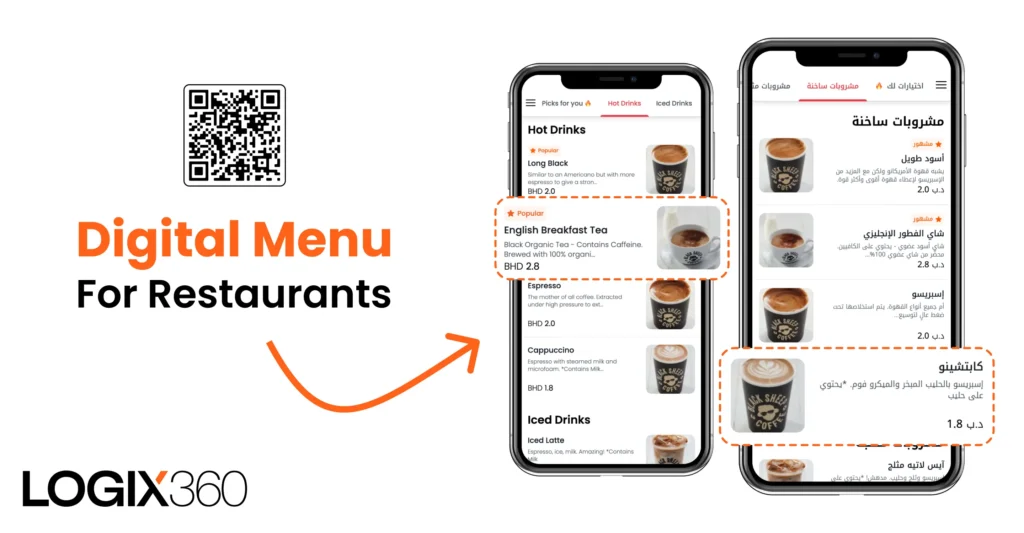
The simplest approach is to offer language switching inside the same digital menu. Guests tap once to move between Arabic and English while photos and structure stay identical. This keeps your brand consistent and shows that you respect everyone at the table.
Language flexibility helps staff as well. No more searching for “the English menu” or “the Arabic menu”. The same QR code works for all, so your team can focus on service instead of menu logistics.
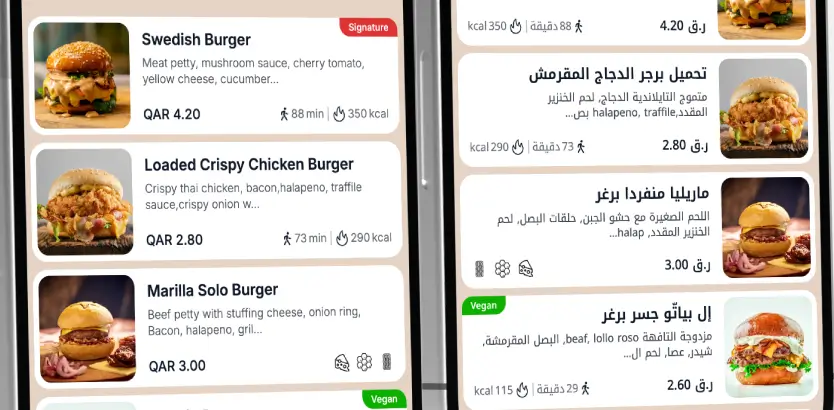
Updates become easier too. When you change a price or add a new item, you update it once in the system. Both languages stay aligned, reducing the risk of mismatched prices or missing translations.
Pricing transparency and compliance
Qatar places strong emphasis on clear pricing and fair treatment of consumers. For restaurants, this translates into the need for accurate prices, visible charges, and honest descriptions.
A QR code menu makes this easier to manage. When prices change, your team updates them in one place. The menu that guests see always matches the final bill, which reduces confusion and complaints.
You can also present extras and upgrades more transparently. For example, listing the exact price for extra cheese, larger portions, or premium sides. Clear options build trust and reduce difficult conversations at payment time.
Rolling out a QR code menu in five stages
Here is a simple way to move from paper first to digital first without disrupting service.
1. Audit your current menu
Look at what you have today. Which dishes are your best sellers, which are seasonal, which rarely sell, and which need better photos. Clean this up first so your digital menu stays focused.
2. Choose your digital menu platform
Look for mobile first design, Arabic and English support, flexible categories, and easy price updates. Ideally, your managers should be able to handle changes without asking a designer or developer every time.
3. Prepare content and photos
Plan a short photo shoot for key items. Collect translations, rewrite long descriptions into shorter ones, and check allergen or dietary tags. You do not need a full story under each dish, just enough information to help a guest choose within a few seconds.
4. Build and test
Add your items, arrange categories, and then test the menu on different phones at different tables. Sit in the seat, scan the code, and behave like a first time guest. Check font sizes, loading speed, and whether it is easy to return to the main menu.
5. Launch in phases
You do not have to switch every table at once. Many restaurants start with a narrow scope for example drinks and desserts, then roll out the full QR menu once staff and regulars are comfortable. A phased launch keeps risk low and gives you time to adjust.
Common mistakes to avoid
Several issues show up again and again when restaurants move too quickly into digital menus.
Using a PDF instead of a real digital layout
Guests dislike pinching and zooming a full page PDF on a phone. A proper QR menu should use a responsive layout designed for small screens, not a scanned printout.
Ignoring guests who still want paper
Some guests will always prefer a physical menu, especially older diners or those with low battery. Keep a small number of clean, updated printed menus available and train staff to offer help with scanning.
Overloading the menu with every detail
If you try to show every variant, combo, and promotion in one long list, people will feel lost. Group items sensibly, hide deep options behind taps, and focus each screen on a small set of choices.
Is a QR menu right for every concept
Most casual, family, and mid range concepts in Qatar benefit immediately from QR menus. Higher end venues can still use them in smart, limited ways.
For example, a fine dining restaurant might keep a printed main menu for the theatre of service, while using QR codes for desserts, mocktails, or seasonal tasting menus that change frequently.
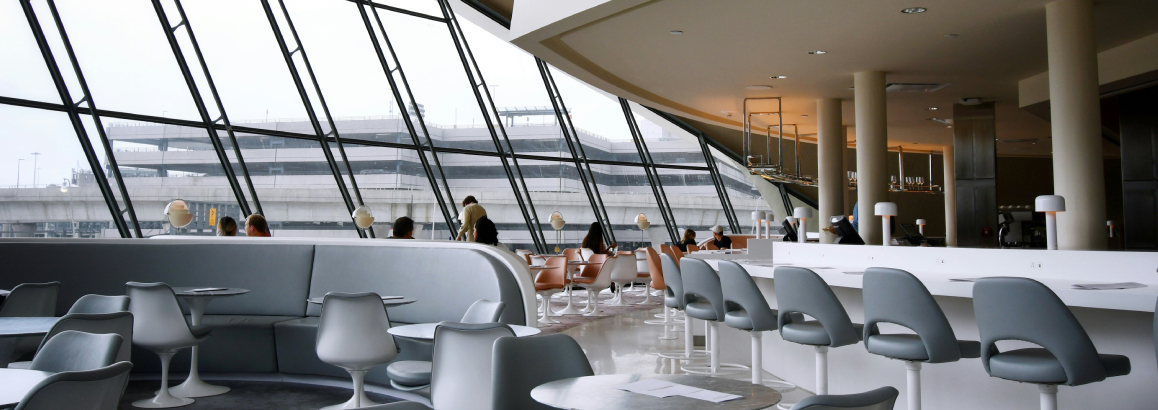
Family focused venues often see strong advantages. Parents can hand a phone to a teenager to translate or explore the menu while they discuss main courses. Friends can browse on separate phones then align their order together.
Small cafés also gain flexibility. With a QR code menu, you can change your pastry lineup daily, update coffee beans, and promote seasonal drinks without reprinting any table cards.
Start testing a QR code menu in your restaurant
If your competitors already use QR menus, your guests are comparing the experience in their heads. If they are not using them yet, you have an opportunity to set the standard in your area.
You do not need to rebuild your operation in one step. Start with one section of your menu, test a QR code on a few tables, listen carefully to guest feedback, and watch how your team uses it. From there you can build a full solution that fits your brand, your team, and your guests.
Try TableQR in your restaurant
Run QR menus and tablet menus in one browser based experience that loads in seconds. Start with TableQR